Wednesday, November 13, 2024

C# .NET client to publish 5 million events to Universal Messaging channel\IS Publishable document

In this blog article I have created a C# .NET client using Universal Messaging C# .NET API. This is in contrast to my previous two articles where I used Java and Message builders(as described in IBM official documentation) and Dynamic Builders to compose a Protobuf event and publish large amount of data to UM Channel\IS Publishable document. I took on the effort to do the same thing in C# to see if there will be a performance difference or if there is a different way to send messages to UM Channel more efficiently and to my surprise the performance metrics are so different between both implementations. I have described more in detail about the performance differences with same UM and IS setup in detail in the blog. Generate the C# code from the proto file. Below command is for running it from the same folder where the proto file is located.

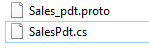
This will generate a new cs file called SalesPdt.cs as show below.


At this point we have the auto generated csharp file generaed by the protoc compiler that we can import in to our existing solution and generate a nProtobufevent from the data and then loop over each generated event and publish to UM.

I have listed out a step-by-step instructions on how to implement a C# .NET program to generate a proto buf event and publish the event to UM. You can download the pdf document here.

For any questions or inquireies feel free to reach out to aarremreddy@silverspringtech.com

Program.cs


Sales.cs


UMUtilities.cs


Performance Metrics:
A first glance at the results show that it took less than half the time to publish 5 million records to UM from C# when compared with Java but if you drill down more in to the details it shows that the way we serialize and deserialize the messages is a lot different when using Descriptors\Builders from the library in comparison to using the auto generated code from protoc compiler. Having said that, I have not run a detailed performance test between Java and C# API’s to call out if one has a better performance than the other. One thing can be assured is that it was a lot easier for me to write the code in C# using the generated class instead of creating the Java code using the Descriptors and builders mentioned in the IBM documentation.

Monday, November 11, 2024

Java client to publish 5 million events to Universal Messaging channel\IS Publishable document

This is a continuation to the previous blog where I have shown how to publish a protobuf event from Java to IBM Universal Messaging channel which is also a publishable document on IBM webMethods Integration Server.

This whole process took about 4 minutes to publish 5 million records to the UM channel with the specifications that I have described in specification section. On processing end, the processing time for 5 million records will depend on the number of threads you have configured on the webMethods messaging trigger and the number of wM Integration servers in a cluster. I have tested this with a 2 node webMethods Integration Server cluster, and it took about 5 minutes to process the 5 million records.

The more webMethods Integration Servers you have in the cluster and more the number of threads working in parallel processing the messages faster.

You can Download the PDF with detailed step-by-step instructions along with the full code.

Note: Feel free to reach out to aarremreddy@silverspringtech.com for any questions or inquiries.

Proto file:

Tuesday, November 5, 2024

Java client to publish Protbuf events to Universal Messaging channel\IS Publishable document

In this topic I will be sharing the code to send ProtoBuf events from a standalone Java client to Universal Messaging Channel which is also a publishable document on the webMethods Integration Server using the UM Native Java API.

By having this capability Companies can use existing products to achieve a seamless integration  between J2EE applications and webMethods without spending additional time and money on investing in new tools and infrastructure.

Also attached to this post is a detailed PDF documentation on how to implement the overall solution step by step. 

Creating a publishable document with encoding type set to "Protocol buffers" will create a proto file on the file system where the publishable doc is stored. The contents of the publishable doc that i used for this use case looks like below.

Note:

If you want to skip over this blog and look at the step by step instructions on how to implement this then you can download the PDF Documentation for this implementation. For any questions or if you are a client looking to request a demo feel free to reach out to aarremreddy@silverspringtech.com

Please note that this exercise is to demo the ability of publishing events to UM and does not include async error listeners or any other complex error handling scenarios.

Proto File content:

As part of pre-requisites install Google Protocol buffers compiler. Refer to the PDF documentation for more information. After this installation, run below command to generate the descriptor file for the proto file.


The variables nSession and nSessionAttributes are initialized as static since they are common properties that will be shared by the class objects.


The first step is to connect to the UM realm. In this case, I have a local instance of UM that does not have basic auth or SSL enabled so i am just using the realm endpoint for connection.

nsa = new nSessionAttributes("nsp://localhost:9000"); //This will be the realm endpoint that we are connecting to on the default 9000 port.
System.out.println("Session Attributes created.");


Once the connection is established then we have to create the Protbuf event. Create a builder of instance com.google.protobuf.DescriptorProtos.FileDescriptorSet and load the descriptor file contents in to the builder. This is the first step to build the Protobuf event.


Create a filedescritor of instance com.google.protobuf.Descriptors.FileDescriptor from the builder that was generated above that holds the descriptor structure.


Create a descriptor of instance com.google.protobuf.Descriptors.Descriptor to get the message for "test_Akshith_docs_testPubDoc" in the descriptor file.


Create a builder for above descriptor and set the value for the field that needs to be published.


Repeat the same process as above to create a descriptor for envelope IData document since this is a mandatory field to populate by webMethods when publishing documents. See troubleshooting section in the pdf for more information. At least populate one field under envelope since it is mandatory.


Create a builder for sending the message to UM and set the values


Create a dynamic message of instance com.google.protobuf.DynamicMessage with the UM Message builder that was created above to generate the final event of instance com.pcbsys.nirvana.client.nProtobufEvent that can be sent to UM.


Set the channel name to send the message to. The exact channel name can be found on the webMethods publishable doc type property "Provider definition". Use this to set the channel name on Channel Attributes.


Create an nChannel instance by running findChannel method. This will set the channel object to the one referenced in above code.


At this point we have the protobuf event created from the descriptor file and the destination channel set. The event at this point needs to be published.


Standard catch block to handle any errors that happen while establishing a connection,creating a protobuf event or while finding the destnation channel.


Standard finally block to close the session to UM realm.


Troubleshooting\Error scenarios:

Issue:
If the publishable doc type is not changed from default IData Encoding type to "Protocol buffers" then the standalone Java app will not error but on the consumer end, below error will be logged in the wM IS server log and message will not be processed.

ERROR:
2024-11-05 13:15:57 EST [ISS.0153.0089C] (tid=165624) Trigger test.Akshith.triggers:receiveJavaMessages failed because of message decoding exception: com.wm.app.b2b.server.dispatcher.exceptions.MessagingCoderException: [ISS.0153.9302] Protocol buffer coder cannot find descriptor in document type: test.Akshith.docs:testPubDoc. Message has been acknowledged to messaging provider.

Issue:
If there are issues connecting to the realm then below error will happpen. Check you realm connection details and try again.

Error : com.pcbsys.nirvana.client.nRealmUnreachableException: Realm is currently not reachable:Realm was still unreachable after max retry count - 0

Issue:
If you do not populate the envelope descriptor while sending the event to channel then it will not error out in Java app but on the consumer side you will notice below error in wM Integration Server.

Error : 2024-11-05 10:20:18 EST [ISS.0153.0041E] (tid=330770) webMethods Messaging Trigger test.Akshith.triggers:receiveJavaMessages failed preprocessing: java.lang.NullPointerException: Cannot invoke "com.wm.data.IData.getCursor()" because "env" is null

Issue:
If you do not populate the correct datatype while setting the values for fields then below error will occur in the Java app and it will go in to catch block. You can refer to the proto filet to get the correct data type for each field.

Error : java.lang.IllegalArgumentException: Wrong object type used with protocol message reflection.Field number: 33, field java type: LONG, value type: java.lang.String

Issue:
If the correct channel name is not provided then below error will occur. Check the "Provider definition" property on the publishable doc type on webMethods Integration server.

Error :com.pcbsys.nirvana.client.nChannelNotFoundException: Channel could not be found on the server:Find : /wmtest/is/test/Akshith/docs/testPubDoc

Friday, August 2, 2013

Using webMethods Java service (StAX Parser) to split a huge XML file in to multiple small files.

I did this same requirement using SAX parser in my previous post. The limitation using the SAX Parser was that if an XML was more than 300 MB, the service would run out of memory trying to split the xml. Because of the out of memory issues, i had to finally opt for StAX paraser since it is more efficient than the SAX or DOM (definitely not). I have tested this code with up to 2 GB files and it works with no issues. For a 1 GB file it took about 38 Mins to execute.

File:
<?xml version="1.0" encoding="UTF-8?>
<rootNode>
       <childNode>
               <ordernumber>12354</ordernumber>
       </childNode>
       <childNode>
               <ordernumber>12355</ordernumber>
       </childNode>
       <childNode>
               <ordernumber>12356</ordernumber>
       </childNode>
</rootNode>
The result should look like this:

file1:
<?xml version="1.0" encoding="UTF-8?>
<rootNode>
       <childNode>
               <ordernumber>12354</ordernumber>
       </childNode>
       <childNode>
               <ordernumber>12355</ordernumber>
       </childNode>
</rootNode>
file2:
<?xml version="1.0" encoding="UTF-8?>
<rootNode>
       <childNode>
               <ordernumber>12356</ordernumber>
       </childNode>
</rootNode>
Imports:
import java.io.*;
import javax.xml.namespace.QName;
import javax.xml.stream.*;
import javax.xml.stream.events.*;
import javax.xml.transform.stream.StreamSource;
Inputs: xmlFileAbsoluteName, rootNode, repeatingNode, splitFilesTargetDirectory, splitFilePrefixName, numOfRecordsPerFile.
Java Service Code:
IDataCursor pipelineCursor = pipeline.getCursor();
String	xmlFileAbsoluteName = IDataUtil.getString( pipelineCursor, "xmlFileAbsoluteName" );
String	rootNode = IDataUtil.getString( pipelineCursor, "rootNode" );
String	repeatingNode = IDataUtil.getString( pipelineCursor, "repeatingNode" );
String	splitFilesTargetDirectory = IDataUtil.getString( pipelineCursor, "splitFilesTargetDirectory" );
String	splitFilePrefixName = IDataUtil.getString( pipelineCursor, "splitFilePrefixName" );
String	numOfRecordsPerFile = IDataUtil.getString( pipelineCursor, "numOfRecordsPerFile" );		
pipelineCursor.destroy();
		
writeToApplicationLogFile("START: Start executing the Java code to split large XML to small XML files.", logFileName, project);
XMLInputFactory inputFactory = XMLInputFactory.newInstance();
XMLOutputFactory outputFactory = XMLOutputFactory.newInstance();	    
outputFactory.setProperty("javax.xml.stream.isRepairingNamespaces", Boolean.TRUE);
		            
int count = 0;
File f = new File(xmlFileAbsoluteName);
String sourceFilePath = f.getParent();		
String tempOutputFilePrefix=sourceFilePath+"\\"+"tempNodeFile";
QName name = new QName(repeatingNode);
XMLEventReader reader;		
try {
	FileReader tempFileReader=new FileReader(xmlFileAbsoluteName);
	reader = inputFactory.createXMLEventReader(tempFileReader);
	while (reader.hasNext()) {
		XMLEvent event = reader.nextEvent();
		if(event.getEventType() == XMLStreamConstants.START_ELEMENT){
			StartElement startElement = event.asStartElement();
			if(startElement.getName().equals(name)){
			writeToFile(reader, event, tempOutputFilePrefix+ (count++) + ".xml");
			}
		}
		if (event.isEndDocument())
			break;
		}
		reader.close();
		tempFileReader.close();
			
		File renameOrigianlFile=new File(xmlFileAbsoluteName+"_processed");
		f.renameTo(renameOrigianlFile);
		int chunkSize=Integer.parseInt(numOfRecordsPerFile);
		mergeXMLFiles(sourceFilePath, splitFilesTargetDirectory+"\\"+splitFilePrefixName, chunkSize, rootNode);
		IDataUtil.put(pipelineCursor, "splitStatus", "success");
		writeToApplicationLogFile("END: Finished executing the Java code to split large XML Files. ", logFileName, project);
		} catch (FileNotFoundException e) {
			IDataUtil.put(pipelineCursor, "splitStatus", e.toString());
			writeToApplicationLogFile("ERROR: "+e.toString(), logFileName, project);
		} catch (XMLStreamException e) {
			IDataUtil.put(pipelineCursor, "splitStatus", e.toString());
			writeToApplicationLogFile("ERROR: "+e.toString(), logFileName, project);
		} catch (IOException e) {
			IDataUtil.put(pipelineCursor, "splitStatus", e.toString());
			writeToApplicationLogFile("ERROR: "+e.toString(), logFileName, project);
		}
		pipelineCursor.destroy();
	}

Shared Code:


static String logFileName="..\\IntegrationServer\\logs\\LargeFileHandling.log";
static String project="Test Calling application";

private static void writeToFile(XMLEventReader reader, XMLEvent startEvent,String filename) throws XMLStreamException, IOException {
		XMLOutputFactory outputFactory = XMLOutputFactory.newInstance();	    
		outputFactory.setProperty("javax.xml.stream.isRepairingNamespaces", Boolean.TRUE);
		XMLEventFactory eventFactory = XMLEventFactory.newInstance();
		
		StartElement element = startEvent.asStartElement();
		QName name = element.getName();
		int stack = 1;
		XMLEventWriter writer=null;
		File nodeFileName=new File(filename);
		
		FileWriter nodeFileWriter=new FileWriter(nodeFileName);
		try {
			writer = outputFactory.createXMLEventWriter(nodeFileWriter);
			writer.add(eventFactory.createStartDocument("UTF-8", "1.0"));			
			writer.add(element);			
			while (reader.hasNext()) {
			XMLEvent event = reader.nextEvent();
			if (event.isStartElement()
			        && event.asStartElement().getName().equals(name))
			    stack++;
			if (event.isEndElement()) {
			    EndElement end = event.asEndElement();
			    if (end.getName().equals(name)) {
			        stack--;
			        if (stack == 0) {
			            writer.add(event);
			            break;
			        }
			    }
			}
			writer.add(event);
			}
		} catch (Exception e) {
			writeToApplicationLogFile("ERROR: "+e.toString(), logFileName, project);
		}
		finally{			
			writer.flush();
			writer.close();
			nodeFileWriter.close();
		}
}

private static void writeToApplicationLogFile(String logData,String logFileName, String project){
		IData input = IDataFactory.create();
		IDataCursor inputCursor = input.getCursor();
		IDataUtil.put( inputCursor, "data", logData);
		IDataUtil.put( inputCursor, "logFileName", logFileName );
		IDataUtil.put( inputCursor, "projectName", project);
		inputCursor.destroy();
		IData 	output = IDataFactory.create();
		try{
			output = Service.doInvoke( "test.logging.services", "logService", input );
		}catch( Exception e){}
}

public static void mergeXMLFiles(String sourceDirectory,String destinationFileName, int chunkSize, String rootNode){
		
		writeToApplicationLogFile("START: Start executing the mergeXMLFiels static method.", logFileName, project);
		File dir = new File(sourceDirectory);
		int totalFilesCount=dir.list().length;
		int fileCount=0;
		double chunksCountDecimal=(double)totalFilesCount/(double)chunkSize;
		int chunksCount=(int) Math.ceil(chunksCountDecimal);		
		Writer outputWriter = null;
		XMLEventWriter xmlEventWriter = null;
		
		//loop to create the number of files with limited number of records.
		for (int i = 0; i < chunksCount; i++) {
			File[] rootFiles = dir.listFiles(new FilenameFilter() { 
				public boolean accept(File dir, String filename)
				     { 
				    	 return filename.endsWith(".xml"); 
				     }
				}
			);			
		int noOfFiles=rootFiles.length;		
		try {
				outputWriter = new FileWriter(destinationFileName+fileCount+".xml");
				XMLOutputFactory xmlOutFactory = XMLOutputFactory.newFactory();
				xmlEventWriter = xmlOutFactory.createXMLEventWriter(outputWriter);
				XMLEventFactory xmlEventFactory = XMLEventFactory.newFactory();
				xmlEventWriter.add(xmlEventFactory.createStartDocument("UTF-8", "1.0"));
				xmlEventWriter.add(xmlEventFactory.createStartElement("", null, rootNode));				
				XMLInputFactory xmlInFactory = XMLInputFactory.newFactory();
				for (int i1 = 0; i1 < chunkSize; i1++) {
					if(i1


Friday, July 26, 2013

Using webMethods Java service(SAX Parser) to split a huge XML file in to multiple small files.

I initially wanted to use STAX Parser which is much easy to use and efficient (From looking at some sample codes online) than the SAX parser but i finally decided to use the SAX Parser. I am currently using a webMethods 8.2.2 env with 1.6 Java so i had to use the SAX Parser to split files.

My requirement was to split a 3 GB XML file in to small XML files. This huge XML had a list of orders in them and below is a sample structure of my XML.
<?xml version="1.0" encoding="UTF-8?>

<rootNode>

       <childNode>

               <ordernumber>12354</ordernumber>


       </childNode>

       <childNode>

               <ordernumber>12355</ordernumber>


       </childNode>

       <childNode>

               <ordernumber>12356</ordernumber>


       </childNode>

</rootNode>

The result should look like this:

file1:
<?xml version="1.0" encoding="UTF-8?>

<rootNode>

       <childNode>

               <ordernumber>12354</ordernumber>


       </childNode>

       <childNode>

               <ordernumber>12355</ordernumber>


       </childNode>

</rootNode>

file2:
<?xml version="1.0" encoding="UTF-8?>

<rootNode>

       <childNode>

               <ordernumber>12356</ordernumber>


       </childNode>

</rootNode>

Java Service Code:
final IDataCursor pipelineCursor = pipeline.getCursor();
  String fileName = IDataUtil.getString( pipelineCursor, "fileName" );
  final String targetDirectotryForSplitFiles = IDataUtil.getString( pipelineCursor, "targetDirectotryForSplitFiles" );
  final String searchElement = IDataUtil.getString( pipelineCursor, "searchElement" );
  final String rootName = IDataUtil.getString( pipelineCursor, "rootName" );
  pipelineCursor.destroy();
    
  try {   
    DocumentBuilderFactory docFactory = DocumentBuilderFactory.newInstance();
    DocumentBuilder docBuilder;
    docBuilder = docFactory.newDocumentBuilder();    
    Document doc = docBuilder.parse(fileName);
    NodeList list = doc.getElementsByTagName(searchElement);
    
    final int chunkSize=list.getLength()*7;
    
    SAXParserFactory saxParserFactory = SAXParserFactory.newInstance();
    SAXParser saxParser = saxParserFactory.newSAXParser();   
    
    DefaultHandler defaultHandler=new DefaultHandler(){
    int count=0;
    int fileNameCount=0;
    ArrayList outList=new ArrayList();
    String searchTerm="close";
    public void startElement(String uri, String localName, String qName,Attributes attributes) throws SAXException {  
    if (qName.equalsIgnoreCase(searchElement)) {
     String tag = "<" + qName;
     for (int i = 0; i < attributes.getLength(); i++) {
    
      tag += " " + attributes.getLocalName(i) + "="
      + attributes.getValue(i);
     }
    
     tag += ">";
     outList.add(tag);
     searchTerm = "open";  
    }
    else{    
     if(qName.compareTo(rootName)==0){
      
     }
     else{
      outList.add("<" + qName + ">");
     }     
     }
    }  
    public void characters(char ch[], int start, int length)throws SAXException {     
     if (searchTerm.equals("open")) {
      String escapeCharPreserved=StringEscapeUtils.escapeXml(new String(ch, start, length));
      outList.add(escapeCharPreserved);
     }
    }
    public void endElement(String uri, String localName, String qName)  
    throws SAXException {
           outList.add("</" + qName + ">");
           count++;
           if (qName.equalsIgnoreCase("PCRBRecord")) {
               searchTerm = "close";
               
               if(count>chunkSize){
         try {
           writeToFile(outList,targetDirectotryForSplitFiles+"/rest_"+fileNameCount+".xml",rootName);
           fileNameCount++;
           outList.clear();
           count=0;
         } catch (IOException e) {
          IDataUtil.put(pipelineCursor, "filerror", e.toString());
         }
        }
              }
     }
    };
   
   saxParser.parse(fileName, defaultHandler);   
  } catch (ParserConfigurationException e) {
   IDataUtil.put(pipelineCursor, "result", e.toString());
  } catch (SAXException e) {
   IDataUtil.put(pipelineCursor, "result", e.toString());
  } catch (IOException e) {
   IDataUtil.put(pipelineCursor, "result", e.toString());
  }
Shared Code:
private static void writeToFile(ArrayList inputLines, String fileName, String rootName) throws IOException{
  
  ArrayList templist=new ArrayList();
  templist.add("<?xml version="1.0" encoding="UTF-8"?>");
  templist.add("<"+rootName+">");
  templist.addAll(inputLines);
  templist.add("</"+rootName+">");
  FileWriter writer = new FileWriter(fileName); 
  for(String str: templist) {
    writer.write(str);
  }
  writer.close();
 }
Imports:
import java.io.*;
import java.util.ArrayList;
import javax.xml.parsers.*;
import org.w3c.dom.Document;
import org.w3c.dom.NodeList;
import org.xml.sax.Attributes;
import org.xml.sax.SAXException;
import org.xml.sax.helpers.DefaultHandler;
import org.apache.commons.lang.StringEscapeUtils;

Tuesday, June 11, 2013

POP3 Email listener using Java Mail API in webMethods

webMethods provides an email port listener to retrieve emails from the inbox and execute a service with the email message contents. However for POP3, when the Integration Server picks up the message, it deletes the message from the email server. The below Java service would get emails from a POP3 Inbox and convert it to IData message structure with out deleting the messages from the Inbox.

// pipeline
IDataCursor pipelineCursor = pipeline.getCursor();
String emailHostName = IDataUtil.getString( pipelineCursor, "emailHostName" );
final String userName = IDataUtil.getString( pipelineCursor, "userName" );
final String password = IDataUtil.getString( pipelineCursor, "password" );
String port = IDataUtil.getString( pipelineCursor, "port" );
pipelineCursor.destroy();
    
try {
   
 Properties props=new Properties(); 
 props.put("mail.pop3.host" , emailHostName);
 props.put("mail.pop3.user" , userName);
 // Start SSL connection
 props.put("mail.pop3.socketFactory" , port );
 props.put("mail.pop3.socketFactory.class" , "javax.net.ssl.SSLSocketFactory" );
 props.put("mail.pop3.port" , port);
     
 Session session=Session.getInstance(props,new Authenticator() {
           @Override
    protected PasswordAuthentication getPasswordAuthentication() {
                  return new PasswordAuthentication( userName , password);
    }
  });
   
 Store store=session.getStore("pop3");
 store.connect(userName, password);
  
 Folder inbox=store.getFolder("INBOX");
 if (inbox == null) {
          System.out.println("No INBOX");
   System.exit(1);
 }
    
 //inbox.open(Folder.READ_ONLY);
 inbox.open(Folder.READ_WRITE);    
 Flags seen = new Flags(Flags.Flag.SEEN);
 FlagTerm unseenFlagTerm = new FlagTerm(seen, false);    
   
 Message[] messages = inbox.search(unseenFlagTerm);
  
 IDataUtil.put( pipelineCursor, "InboxLength", messages.length);
 ArrayList<IData> outputDoc=new ArrayList<IData>();
    
 for(int i=0;i<messages.length;i++){
         Message aMessage=messages[i];
  Object messagecontentObject= aMessage.getContent();
  
  String textMessage = null;     
  String messageUID=extractMessageID(aMessage);
  IData emailMessageResults = IDataFactory.create();
  IDataCursor emailMessageResultsCursor = emailMessageResults.getCursor();
   
  if (messagecontentObject instanceof Multipart){
             //Found Email with Attachment Retrieve the Multipart object from the message
  IDataUtil.put( emailMessageResultsCursor, "messageUID", messageUID );
  IDataUtil.put( emailMessageResultsCursor, "senderEmailAddress", new String(aMessage.getFrom()[0].toString()));
  IDataUtil.put( emailMessageResultsCursor, "subject", aMessage.getSubject());
  Multipart multipart= (Multipart) aMessage.getContent();
  ArrayList<IData> attachmentsInfoList=new ArrayList<IData>();
      
  // Loop over the parts of the email
  for (int partsCount = 0; partsCount < multipart.getCount(); partsCount++){
           BodyPart part = multipart.getBodyPart(partsCount);
       
   IData attachmentsResults=IDataFactory.create();
   IDataCursor attachmentsResultsCursor=attachmentsResults.getCursor();
       
   if (Part.ATTACHMENT.equalsIgnoreCase(part.getDisposition())) {  
   String attachmentName=null;
        if(part.getFileName()!=null){
         attachmentName = part.getFileName(); 
         
         InputStream attachmentInputStream = part.getInputStream();         
         
         //Convert the input stream from Attachment to byte[].
         ByteArrayOutputStream buffer = new ByteArrayOutputStream();         
         int nRead;
         byte[] data = new byte[16384];
         while ((nRead = attachmentInputStream.read(data, 0, data.length)) != -1) {
           buffer.write(data, 0, nRead);
           data=buffer.toByteArray();
         }
         buffer.flush();         
         
         //convert the byte[] to a base64 string.
         byte[] x=org.apache.commons.codec.binary.Base64.encodeBase64(data);
         String fileData=new String(x);
         
         String fileType=part.getContentType();         
         int fileTypeEndPos=fileType.indexOf(";");
         fileType=fileType.substring(0,fileTypeEndPos);
         
         //Populate the attachments results doc.
         IDataUtil.put( attachmentsResultsCursor, "fileName", attachmentName );
         IDataUtil.put( attachmentsResultsCursor, "fileData", fileData);
         IDataUtil.put( attachmentsResultsCursor, "fileType", fileType);
         attachmentsResultsCursor.destroy();
         attachmentsInfoList.add(attachmentsResults); 
        }
        else{
         // Unidentified attachment content type, get the part as an input byte array.
         Reader r = new InputStreamReader((InputStream) part.getContent());
         StringWriter sw = new StringWriter();
         char[] buffer = new char[1024];
         for (int n; (n = r.read(buffer)) != -1; )  
             sw.write(buffer, 0, n);
         textMessage= sw.toString();
  
         IDataUtil.put( attachmentsResultsCursor, "fileName", "No Name for attachment - Could be an attached email");
         IDataUtil.put( attachmentsResultsCursor, "fileData", textMessage);         
         attachmentsResultsCursor.destroy();
         attachmentsInfoList.add(attachmentsResults); 
        }
        
                      } else {
                       
                       //Extract inline images or other attachments                       
                       if((!part.getContentType().contains("text/html"))){
                          String attachmentName = part.getFileName();
           InputStream attachmentInputStream = part.getInputStream();         
           
           //Convert the input stream from Attachment to byte[].
           ByteArrayOutputStream buffer = new ByteArrayOutputStream();         
           int nRead;
           byte[] data = new byte[16384];
           while ((nRead = attachmentInputStream.read(data, 0, data.length)) != -1) {
             buffer.write(data, 0, nRead);
             data=buffer.toByteArray();
           }
           buffer.flush();         
           
           //convert the byte[] to a base64 string.
           byte[] x=org.apache.commons.codec.binary.Base64.encodeBase64(data);
           String fileData=new String(x);
           String fileType=part.getContentType();         
           int fileTypeEndPos=fileType.indexOf(";");
           fileType=fileType.substring(0,fileTypeEndPos);
           
           //Populate the attachments results doc.
           IDataUtil.put( attachmentsResultsCursor, "fileName", attachmentName );
           IDataUtil.put( attachmentsResultsCursor, "fileData", fileData);
           IDataUtil.put( attachmentsResultsCursor, "fileType", fileType);
           attachmentsResultsCursor.destroy();
           attachmentsInfoList.add(attachmentsResults); 
                        }
                       
                       //Handle email body for inline attachments.
                       else if( part.getContentType().contains("multipart/related")){
                        InputStreamReader is = new InputStreamReader(part.getInputStream());
          StringBuilder sb=new StringBuilder();
          BufferedReader br = new BufferedReader(is);
          String read = br.readLine();
    
          while(read != null) {
              sb.append(read);
              read =br.readLine();  
          }
          
          String unmodifiedBody=sb.toString();
          
          int htmlTagStartPos=unmodifiedBody.indexOf("<html");
          int htmlTagEndPos=unmodifiedBody.indexOf("</html>")+7;        
          String modifiedEmailBody=unmodifiedBody.substring(htmlTagStartPos,htmlTagEndPos);
          
          IDataUtil.put( emailMessageResultsCursor, "body", modifiedEmailBody);
                       }
                       // Extract email body for mails with attachment files. 
                       else{
                        textMessage = part.getContent() != null ? part.getContent().toString() : "";
                           IDataUtil.put( emailMessageResultsCursor, "body", textMessage);
                       }                                                                                 
                      }
      }
       IDataUtil.put( emailMessageResultsCursor, "emailSentDate", formatDateTime(aMessage.getSentDate()));
       IDataUtil.put( emailMessageResultsCursor, "attachmentExists", "Y" );
       IDataUtil.put( emailMessageResultsCursor, "attachmentInfo", attachmentsInfoList.toArray(new IData[attachmentsInfoList.size()]));
       outputDoc.add(emailMessageResults);      
      }
      else{
          // Email with no attachment.
         textMessage = aMessage.getContent() != null ? aMessage.getContent().toString() : "";
         IDataUtil.put( emailMessageResultsCursor, "messageUID", messageUID );
                  IDataUtil.put( emailMessageResultsCursor, "senderEmailAddress", new String(aMessage.getFrom()[0].toString()));
                  IDataUtil.put( emailMessageResultsCursor, "subject", aMessage.getSubject());
                  textMessage=aMessage.getContent().toString();
                  IDataUtil.put( emailMessageResultsCursor, "body", textMessage);
                  IDataUtil.put( emailMessageResultsCursor, "emailSentDate", formatDateTime(aMessage.getSentDate()));
                  IDataUtil.put( emailMessageResultsCursor, "attachmentExists", "N" );
   
                  IData attachmentsResults=IDataFactory.create();
                  IDataCursor attachmentsResultsCursor=attachmentsResults.getCursor();
                  IDataUtil.put( attachmentsResultsCursor, "fileName", "");
                  IDataUtil.put( attachmentsResultsCursor, "fileData", "");
                  IDataUtil.put( attachmentsResultsCursor, "fileType", "");
                  attachmentsResultsCursor.destroy();
                  
                  IDataUtil.put(emailMessageResultsCursor, "attachmentInfo", attachmentsResults);
        
                  outputDoc.add(emailMessageResults);
      }
      aMessage.setFlag(Flags.Flag.SEEN, true); // This is not supported for POP3.
    }
    inbox.close(false);
    store.close();    
    IDataUtil.put( pipelineCursor, "messageContents", outputDoc.toArray(new IData[outputDoc.size()]));    
  } catch (NoSuchProviderException e) {
   IDataUtil.put( pipelineCursor, "errrorMessage", e.toString() );
  } catch (MessagingException e) {
   IDataUtil.put( pipelineCursor, "errrorMessage", e.toString() );
  } catch (IOException e) {
   IDataUtil.put( pipelineCursor, "errrorMessage", e.toString() );
  }


Shared Code:
         private static String formatDateTime(Date date){
  
  String format="MM-dd-yyyy HH:mm:ss";  
  SimpleDateFormat sdf=new SimpleDateFormat(format);
  return sdf.format(date);
  }
  
  private static String extractMessageID(Message aMessage) throws MessagingException{
  
   // Extract message ID in proper format from the message.
   String messageUID=null;
   Enumeration headers = aMessage.getAllHeaders();                  
      while (headers.hasMoreElements()) {
          Header h = (Header) headers.nextElement();                                  
          String mID = h.getName();                
          if(mID.contains("Message-ID")){
           messageUID=h.getValue();                       
          }
      }
   
   int messageUIDLength=messageUID.length();   
   messageUID=messageUID.substring(1, messageUIDLength-1);   
   int specialCharPos=messageUID.indexOf("@");   
   messageUID=messageUID.substring(0, specialCharPos);   
   return messageUID;
  } 

Wednesday, February 27, 2013

consume a basic auth web service in C# and manipulate the output


This is a C# client program for a webMethods web service with basic authentication setup. This service will also loop over the output from the WS call and perform a basic extraction of the data.

using System;
using System.Collections.Generic;
using System.Linq;
using System.Text;
using System.Net;

namespace reportFraudConsoleApp
{
    class Program
    {
        static void Main(string[] args)
        {
            reportfrauddataref.reportfraudVS ws = new reportfrauddataref.reportfraudVS();

            reportfrauddataref.getCaseAttachmentFilesInputDoc wsinput = new reportfrauddataref.getCaseAttachmentFilesInputDoc();
            wsinput.caseNr = "5555";

            //auth with CredentialCache class
            System.Net.CredentialCache myCred = new System.Net.CredentialCache();
            NetworkCredential networkCred = new NetworkCredential("Administrator", "wm123");
            myCred.Add(new Uri(ws.Url),"Basic",networkCred);
            ws.Credentials = myCred;

            reportfrauddataref.attachmentsData[] resultArray = ws.getCaseAttachmentFiles(wsinput);

            List fileNames=new List();
            List fileContents=new List();

            for (int i = 0; i < resultArray.Length;i++ )
            {
                // Manipulate the output from the web service by looping over the results from the ws call
                fileNames.Add(resultArray[i].fileName);
                fileContents.Add(resultArray[i].fileContent);
            }

            Console.WriteLine(fileNames.ToArray().ToString());
            Console.ReadLine();
        }
    }
}

Wednesday, February 6, 2013

List files and directories recursively

This java service will list all the files and the files in the sub-directories with full path names.


IDataCursor pipelineCursor = pipeline.getCursor();

String    dirPath = IDataUtil.getString( pipelineCursor, "dirPath" );

pipelineCursor.destroy();


List<String> output=new ArrayList<String>();


List<String> tempPlaceHolder=new ArrayList<String>();

output=extract(dirPath,tempPlaceHolder);


IDataUtil.put( pipelineCursor, "dirList", output.toArray(new String[output.size()]));

pipelineCursor.destroy();
Shared Code:
public static List<String> extract(String directoryName, List<String> outFiles){

    
File directory=new File(directoryName);
File[] fileList=directory.listFiles();

String outFileName;
for(int i=0;i<fileList.length;i++){
 if(fileList[i].isFile()){
 outFileName=fileList[i].toString();
 outFiles.add(outFileName);
        }
 else{

      outFileName=fileList[i].toString();
      outFiles.add(outFileName);
      extract(outFileName,outFiles);               

     }           
    }

return outFiles;
}

Tuesday, February 5, 2013

Java service to create a Tar file using Apache Commons Compress library.

There is often a need to create a Tar file by archiving logs files or other files. You could create a tar file using Native Java libraries as well as third party libraries. The advantage of using third party libraries is that it  provides out of the box methods to write the files. The disadvantage would be to go through the license agreements on the jars and make sure you are not violating any of their agreements.


IDataCursor pipelineCursor = pipeline.getCursor();
String directoryName = IDataUtil.getString( pipelineCursor, "directoryName" );
pipelineCursor.destroy();
  
File dirName=new File(directoryName);
File[] fileNames=dirName.listFiles();  
OutputStream tarfileOutstream;  
try {
      tarfileOutstream = new FileOutputStream(new File("E:/aarremreddy/Tasks/Compress/test.tar"));
      ArchiveOutputStream aos = new ArchiveStreamFactory().createArchiveOutputStream(ArchiveStreamFactory.TAR, tarfileOutstream);
     
      for(int i=0;i<fileNames.length;i++){
 File tarInputfile= fileNames[i];
 TarArchiveEntry archiveEntry = new TarArchiveEntry(tarInputfile);
 archiveEntry.setSize(tarInputfile.length());
 aos.putArchiveEntry(archiveEntry);
 IOUtils.copy(new FileInputStream(tarInputfile),aos);
 aos.closeArchiveEntry();
      }

    aos.finish(); 
    tarfileOutstream.close();
    IDataUtil.put(pipelineCursor, "result", "Success");
} 
catch (FileNotFoundException e) {
 IDataUtil.put(pipelineCursor, "result", e.toString());
} catch (ArchiveException e) {
 IDataUtil.put(pipelineCursor, "result", e.toString());
} catch (IOException e) {
 IDataUtil.put(pipelineCursor, "result", e.toString());
}
Imports:
import org.apache.commons.compress.archivers.ArchiveException;
import org.apache.commons.compress.archivers.ArchiveOutputStream;
import org.apache.commons.compress.archivers.ArchiveStreamFactory;
import org.apache.commons.compress.archivers.tar.TarArchiveEntry;
import org.apache.commons.compress.utils.IOUtils;
Jars:
commons-compress-1.4.1.jar;
commons-io-2.4.jar;

Tuesday, December 11, 2012

Consuming webMethods WSD in C#.


using System;
using System.Collections.Generic;
using System.Linq;
using System.Web;
using System.Web.UI;
using System.Web.UI.WebControls;


namespace TANFWorkSearch
{
    public partial class _Default : System.Web.UI.Page
    {
        protected void Page_Load(object sender, EventArgs e)
        {
            var ws = new TANFWorkSearchWSD.TANFWorkSearch();


            TANFWorkSearchWSD.WorkSearchOut wsInput = new TANFWorkSearchWSD.WorkSearchOut();


            DateTime dateTime = DateTime.Now;
            TANFWorkSearchWSD.SGData sgData = new TANFWorkSearchWSD.SGData();
            sgData.RequestEnvironment = TANFWorkSearchWSD.RequestEnvironment.C;
            sgData.RequestTimeStamp = dateTime;
            sgData.Caller = TANFWorkSearchWSD.Caller.C;
            sgData.ServiceVersion = "serviceVersionPlaceHolder";


            TANFWorkSearchWSD.BusinessData businessData = new TANFWorkSearchWSD.BusinessData();


            TANFWorkSearchWSD.Individual individual = new TANFWorkSearchWSD.Individual();
            double recID=12.30;
            individual.RecipientID = recID.ToString();
            individual.FirstName = "firstName";
            individual.LastName = "lastName";
            individual.MiddleInitial = "Middle";
            individual.DOB =dateTime;
            individual.SSN = "1234";
            individual.BeginDate = dateTime;
            individual.EndDate = dateTime;
            individual.UserID = "1234";
            individual.ParticipantID = "1234";


            ws.GetWorkSearchInfo(wsInput);


        }
    }
}

Search String in text file and return line number.

Inputs:
searchString
fileName

outputs:
exists
lineNum
error

Code:
IDataCursor pipelineCursor = pipeline.getCursor();
        String    searchString = IDataUtil.getString( pipelineCursor, "searchString" );
        String    fileName = IDataUtil.getString( pipelineCursor, "fileName" );
        pipelineCursor.destroy();
        
        File file=new File(fileName);    
        int lineNum = 0;
        
        try {
            Scanner in = new Scanner(new FileReader(file));
            
            while (in.hasNext()) {
            String inString = in.nextLine().toLowerCase();
            if( inString.indexOf( searchString ) >= 0) 
            {             
                IDataUtil.put( pipelineCursor, "lineNum", Integer.toString(lineNum));
                IDataUtil.put( pipelineCursor, "exists", "true");
                break;
            }
            else{
                IDataUtil.put( pipelineCursor, "exists", "false");
            }
            lineNum++;
            }            
        } catch (FileNotFoundException e) {        
            IDataUtil.put( pipelineCursor, "error", e.toString());
        }
        pipelineCursor.destroy();
Imports:

Code:
import java.io.FileReader;
import java.util.Scanner;
import java.io.File;

Split one large file to multiple small files based on break length - Large file handling.

Inputs:

fileName: Absolute File Name path to be split.
lineBreak: number of lines when the break needs to happen.
outFileNamePrefix: output file name prefix, absolute path.

Code:


IDataCursor pipelineCursor = pipeline.getCursor();
  String fileName = IDataUtil.getString( pipelineCursor, "fileName" );
  String lineBreak = IDataUtil.getString( pipelineCursor, "lineBreak" );
  String outFileNamePrefix = IDataUtil.getString( pipelineCursor, "outFileNamePrefix" );
  pipelineCursor.destroy();  
  
  int breakLenInt=Integer.parseInt(lineBreak);
  int count=0;
  int currentLineNumber=0;
  String line=null;
  
  FileInputStream inputStream;
  FileWriter fstream;
  
  try {
   inputStream = new FileInputStream(new File(fileName));
   InputStreamReader streamReader = new InputStreamReader(inputStream, "UTF-8");
   BufferedReader reader = new BufferedReader(streamReader);
   while ((line=reader.readLine())!=null){
    if(currentLineNumber<breakLenInt){
     String outFile=outFileNamePrefix+"_"+count+".txt";
  
     fstream = new FileWriter(outFile,true);
     BufferedWriter bw=new BufferedWriter(fstream);
  
     bw.write(line);
     bw.newLine();
     bw.close();
     
     currentLineNumber++;
    }
    else{
     breakLenInt=breakLenInt+Integer.parseInt(lineBreak);
     count++;
    }
   }
   reader.close();
   streamReader.close();
   IDataUtil.put( pipelineCursor, "result", "Success" );
  } catch (FileNotFoundException e) {
   IDataUtil.put( pipelineCursor, "result", e.toString() );
  } catch (UnsupportedEncodingException e) {
   IDataUtil.put( pipelineCursor, "result", e.toString() );
  } catch (IOException e) {
   IDataUtil.put( pipelineCursor, "result", e.toString() );
  }

Friday, April 20, 2012

Convert an XML Node in pipeline to String.

When dealing with content handlers the data will come in to the pipeline as an XML node object $contentStream. This code will help convert that xml node object to string and stream outputs.

Input: node, datatype: object
Output: outString, datatype: String & outStream, datatype: object

Import the below classes.


import java.io.ByteArrayInputStream;
import java.io.InputStream;
import java.io.StringWriter;
import java.io.UnsupportedEncodingException;
import javax.xml.transform.OutputKeys;
import javax.xml.transform.Transformer;
import javax.xml.transform.TransformerException;
import javax.xml.transform.TransformerFactory;
import javax.xml.transform.dom.DOMSource;
import javax.xml.transform.stream.StreamResult;
import org.w3c.dom.Node;


Code:


IDataCursor pipelineCursor = pipeline.getCursor();
        Node node = (Node) IDataUtil.get( pipelineCursor, "node" );
        pipelineCursor.destroy();
        
        StringWriter sw = new StringWriter();
            try {
                
              Transformer t = TransformerFactory.newInstance().newTransformer();
              t.setOutputProperty(OutputKeys.OMIT_XML_DECLARATION, "yes");
              t.setOutputProperty(OutputKeys.INDENT, "yes");
              t.transform(new DOMSource(node), new StreamResult(sw));
              // convert to string debug...........
              String x=sw.toString();
              IDataUtil.put( pipelineCursor, "outStr", x);
             
              InputStream outStream = new ByteArrayInputStream(x.getBytes("UTF-8"));
              IDataUtil.put( pipelineCursor, "outStream", outStream);
              
            } catch (TransformerException e) {              
              IDataUtil.put( pipelineCursor, "outStr", e);
          } catch (UnsupportedEncodingException e) {
              IDataUtil.put( pipelineCursor, "outStr", e);
            }


Monday, January 16, 2012

Web service aliases usage in webMethods

A web service alias can be used effectively to manage the endpoints and the credentials for a web service outside of the code. Using web service aliases will remove the need for code changes or property file changes while pointing the web services to different environments.

"A Web service endpoint alias represents the network address and, optionally, any
security credentials to be used with Web services. The network address properties can be
used to enable dynamic addressing for Web services. The security credentials can be used
to control both transport-level and message-level security for Web services."
- Administering_Integration_Server.pdf

As long as the WSDL context remains the same and only the endpoint or the port changes between different environments of the Consumer WSDL, the aliases can be used to re-point the web service from the IS Admin page with out a need for a deployment.


Steps for HTTP web service alias:

1. Create a consumer HTTP web service alias on the IS Admin page with the endpoint settings from the consumer WSDL.
2. Consume a WSDL on to the webMethods Developer and open the WSD. Click on the binders tab and select the binder.
3. In the properties pane click on the drop down for port alias and select the port alias created in step 1. If it does not show up then reload the package and try again.
4. Now save the consumer WSD and start calling the web service connector. The connection details for this WSD will be taken from the web service alias.

Steps for HTTP web service alias:

1. Create a Keystore alias and a key alias with the client certificate configured.
2. Create a HTTPS web service alias with the end point details from the WSDL. Use the keystore and key alias created in step1 while configuring the HTTPS alias.
3. Consume the WSDL on to the webMethods Developer and open the WSD. Click on the binders tab and select the binder.
4. In the properties pane click on the drop down for the port alias and select the port alias created in step 2. If it does not show up then reload the package and try again.
5. Now save the consumer WSD and start calling the web service connector. The connection details for thisWSD will be takem from the web service alias.

Note:


  • A HTTP web service alias will not show up as an available port alias for a HTTPS WSD and vice versa.
  • IS will interpret the WSDL as-is and generate a HTTP or HTTPS WSD based on the endpoint definition in the WSDL. If you want to generate a HTTPS WSD for a HTTP WSDL then edit the WSDL and change the address location to HTTPS.

For ex:

If the WSDL has an endpoint defined as below, IS will create a HTTP WSD.

<service name="CreditScoreWebService">
    <port name=" CreditScoreEndpointPort" binding="tns: CreditScoreServiceEndpointPortBinding">
      <soap:address location="http://test.google.com:5555/creditscore/ CreditScoreWebService"/>
    </port>
  </service>


If the same WSDL has an endpoint defined as below, IS will create a HTTPS WSD.

<service name="CreditScoreWebService">
    <port name=" CreditScoreEndpointPort" binding="tns: CreditScoreServiceEndpointPortBinding">
      <soap:address location="https://test.google.com:5555/creditscore/ CreditScoreWebService"/>
    </port>
  </service>


Enable SOAP Request/Response Logging

In webMethods while trouble shooting issues with third party web services integration can be done using the Flow service level logging, in order to capture the raw SOAP request at the server level the following extended settings need to be set to true.

watt.server.SoapRPC.debug
watt.server.SoapRPC.trace
watt.server.SoapRPC.verbose

Enabling these settings will capture the raw SOAP request and reponses at the IS level.

Steps:

1. Go to the extended settings on the IS Admin page.
2. Click the show and hide keys URL.
3. select the above mentioned three settings and click save.
4. After the options show up on the extended settings page, edit the settings to set to true to enable the SOAP logging or set to false to disable the logging.

Note:

Enabling this logging setting for a prolonged period of time is not recommended as this will flood the logs with all the SOAP request/responses happening on the server.

Consuming WSDL when schema's are not reachable

In this post i will discuss how to consume a WSDL which has references to remote schema's through URL references.

Most of the times the development boxes are not in the DMZ of the network because of various security reasons and this will make consuming third party vendor WSDL's hosted outside of the intranet a bit painful in webMethods. In order to over come this problem we can edit the WSDL locally by modifying the URL/URI locations to either include the XSD's in the WSDL or to give a file reference to the locally downloaded locations.

Steps:

1. Download the WSDL and the XSD's from the remote location from a box where you can access them.
2. Now copy all these files to the target package resources directory.
Ex ..\integrationserver\pacakgeName\resources
3. Open the WSDL in eclipse or an XML editor and remove the URL references to the XSD's to a file location using the "file://"

ex:
before the change:


  <xsd:import namespace="http://remote.service.functionality.pogeneration.google.com/" schemaLocation="POGenerationWebService_schema1.xsd" />


After the change:
 <xsd:import namespace="http://remote.service.functionality.pogeneration.google.com/" schemaLocation="file:///D:/SoftwareAG/IntegrationServer/packages/packageName/resources/POGenerationWebService_schema1.xsd"/>

or

 <xsd:import namespace="http://remote.service.functionality.pogeneration.google.com/" schemaLocation="file:///../POGenerationWebService_schema1.xsd"/>


4. Repeat for all the XSD references and validate the WSDL in eclipse.
5. If the WSDL is valid after the changes then go to Developer and consume the wsdl.

The reason for them being put in the resources directory is to make sure that all the artifacts are bundled in the same package and can be ported during the deployment.

Cons:

  • Maintaining a new version of the WSDL than the one from the client.
  • Maintaining the schemas up to date from the client.


MTOM implementation

In this post i will be discussing how to send email with MTOM attachments using webMethods services.

Steps:

1. Create a Flow service senderSvc which will get an image file and then convert it to a base64 encoded string. This is our harness service replicating the Data feeder.
2. Create a Flow service service B with the inputs fileName (String) and data (string with the base64Binary contentType set). The output is a success (string) flag. This will be the receiver service.
3. Create a producer WSD receiverWSD for the receiverSvc and set the property attachment enabeld to true.
4. Consume the receiver WSD and make a call to the connector in senderSvc.
5. post the data from senderSvc to be received by receiverSvc and then send to an email using the pub.client:smtp service.

senderSvc:

receiverSvc:


Sample email:


Friday, January 13, 2012

Setting up Designer

In this tutorial you will learn how to setup Designer for developement.

1. Click on the Window ->preferences->SoftwareAG->IntegrationServers.


2. Click Add and then add the IS that you want to connect to for the development.

3. click on verify server and if the test is successful then the configuration is complete.